Overview
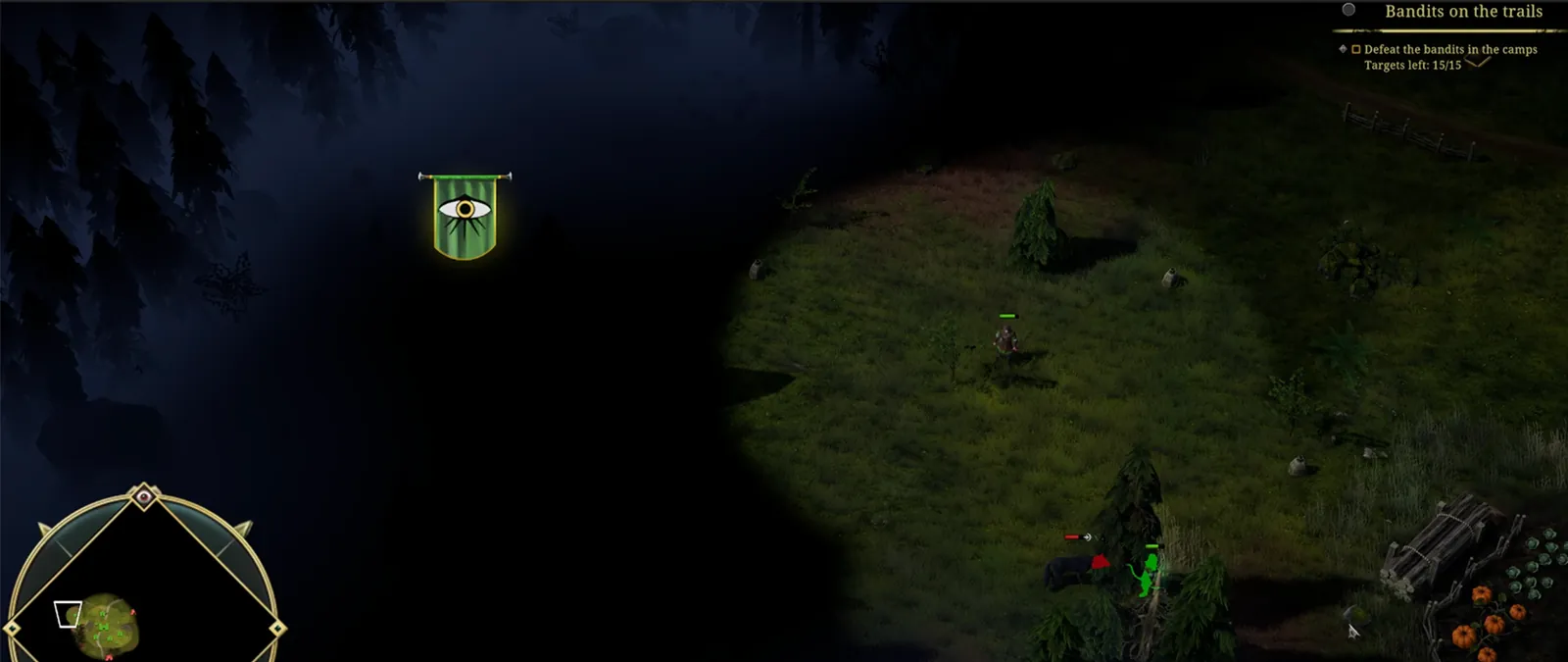
The fog system consists of two separate components: a Fog of War system and a custom paintable atmospheric fog shader.
Challange
We needed a Fog of War solution capable of handling hundreds of moving units while supporting smooth reveal transitions and artist-controlled atmospheric fog.
Solution
Implemented a quad-based reveal system rendered into a texture and processed using a compute shader.
Result
200 revealers
4K Resolution
0.216 ms total GPU cost
Fog of War
Overview
This system is optimized to handle hundreds of real-time Fog of War revealers.
It supports three fog states:
- Hidden
- Only the height fog remains visible.
- Actively Revealed
- Areas currently revealed by nearby units.
- Discovered
- All areas that were revealed
Every object that affects the Fog of War has a quad attached to it containing a circular reveal mask rendered by a dedicated custom camera.
The camera renders these circles into a Render Texture, which is then processed by a compute shader.
Rendering simple quads is what makes the system highly performant, while the main calculations maintain a constant cost.
Performance is primarily affected by:
- The number of rendered quads.
- The amount of overlap (overdraw) between them.
In Crown of Greed, every unit reveals the Fog of War using a circular shape, but the system also supports custom reveal shapes.
For example, it could be adapted to reveal entire world map regions, similar to grand strategy games, providing Fog of War on a province or territory basis.
Textures
Render Texture R8G8_UNorm:
- R - Active and discovered Fog of War visibility.
- G - Permanently discovered areas (discoveredAlpha).
Custom Passes
The system consists of two Custom Passes.
Before Rendering:
- Renders reveal quads into the Render Texture.
- Dispatches the compute shader.
After Post Process:
- Responsible for screen-space presentation.
Using an After Post Process pass prevents post-processing effects from affecting the fog darkening and allows seamless composition with the height fog system.
Compute Shader
The compute shader gradually decreases fog visibility every frame using a configurable fadeRate.
This creates a smooth transition when an area is no longer actively revealed.
Visibility never drops below the discoveredAlpha value stored in the texture’s G channel.
Using a compute shader removes the need for Unity’s Graphics.Blit, provides greater flexibility, and gives full control over the processing pipeline.
[numthreads(8,8,1)]
void CSMain (uint3 id : SV_DispatchThreadID)
{
    float2 rt = RT[id.xy];
    float source = input[id.xy];

    rt.x = max(rt.x - deltaTime * fadeRate, rt.y * discoveredAlpha);
    rt = max(rt, source);
    RT[id.xy] = rt;
}
Performance
Performance measurements captured using Nsight with 200 moving Fog of War revealers at 4K resolution:
Compute Shader (Before Rendering)   0.062ms
Quad Shader                         0.022ms
Fullscreen (After Post Process)     0.132ms
-------------------------------------------
Total 0.216ms- Compute Shader has a constant cost.
- Fullscreen pass scales with screen resolution.
- Quad rendering scales linearly with the number of revealers.
Paintable Height Fog with Tool
Overview
The Paintable Height Fog system was created to give artists direct control over where atmospheric fog appears in the world.
Artists could adjust:
- Fog color
- Minimum and maximum height
- Falloff intensity
- Alpha
The shader was developed together with a dedicated painting tool that allowed artists to paint fog directly onto the terrain.
The tool supported:
- Replacing the current paint mask with an external texture.
- Adding a texture on top of the existing mask.
- Saving the current paint mask back to disk.
This workflow allowed artists to paint directly inside the engine while still supporting external editing in software such as Photoshop when preferred.
The Height Fog was composed using an After Post Process pass so that it remained visible above the Fog of War system, preventing unexplored areas from appearing completely empty.